CinemaQuo DCP Studio · Windows
DCP software for your finished master.
Bring picture, sound and subtitles together. Create a Digital Cinema Package, check what was written and keep the export receipt.
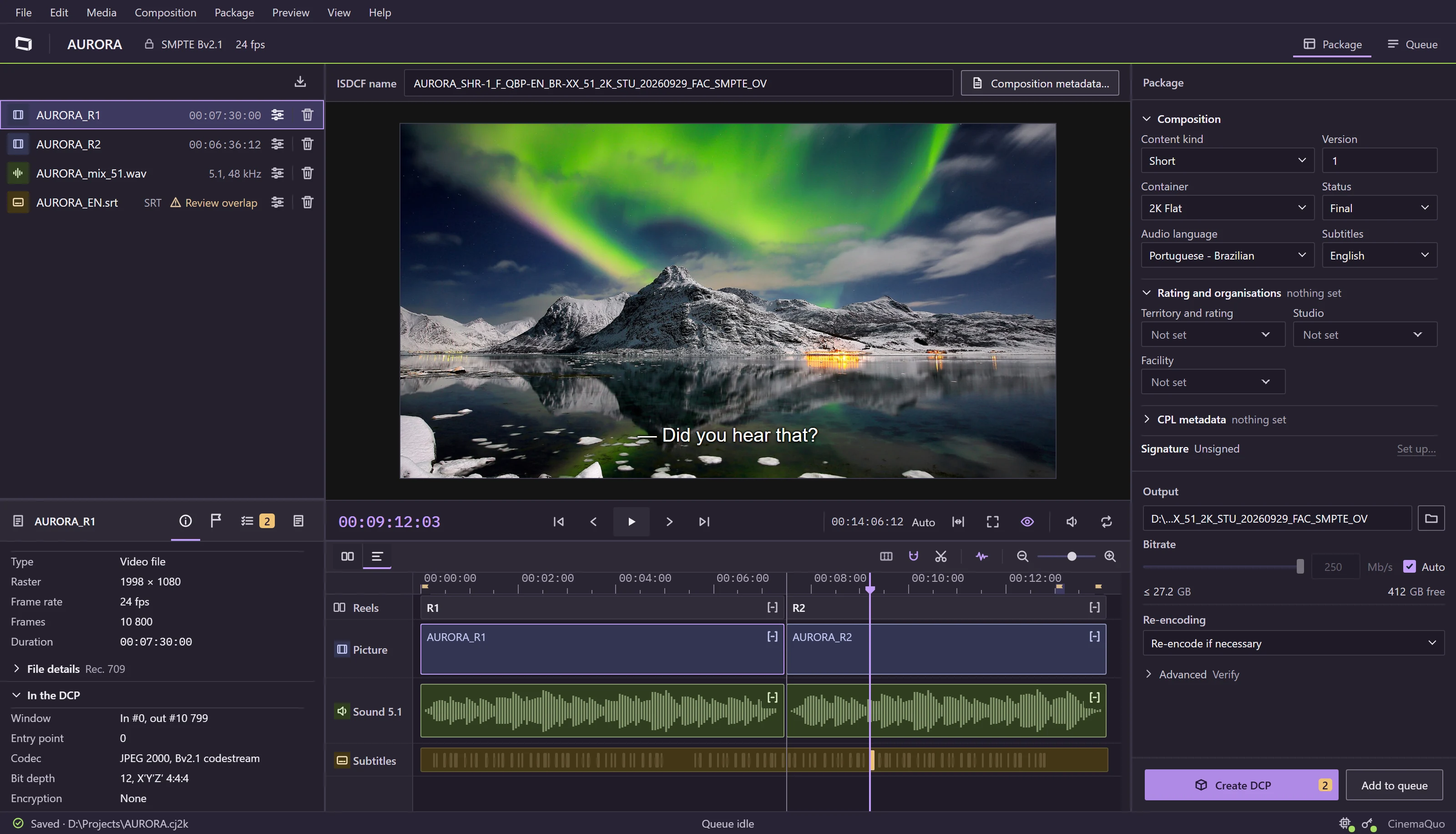
From a master to a cinema package
Import your finished video or reuse an existing J2C picture sequence. Configure a 2K or 4K package, choose Flat, Scope or Full geometry, and set the frame rate for your delivery.
Picture, sound and subtitles in one project
Encode picture with CinemaQuo's JPEG 2000 engine on a supported GPU. Add WAV audio or audio from your video, map the channels, and work with SRT or cinema XML/MXF subtitles.
Studio can also encode on the CPU when a supported GPU is unavailable, at a much slower speed. Reusing J2C picture does not require a GPU. See the system requirements.
Package it. Check it. Keep the receipt.
Build SMPTE, SMPTE Bv2.1 or Interop packages, work with OV/VF deliveries, and use Studio's encryption and KDM tools when your delivery needs them. Pre-export checks highlight issues before you start; post-write checks inspect the package. An optional independent OpenJPEG decode checks the picture frames.
Use these checks alongside the receiving cinema's specifications and a playback test on the intended system.
Start with your own material
The demo lets you try the workflow before activating a licence. Demo exports carry a visible DEMO mark on every frame.
Create your first DCP, step by step · Editing in Premiere Pro?