Compositions and versions
Manage playable versions without confusing them with reels.
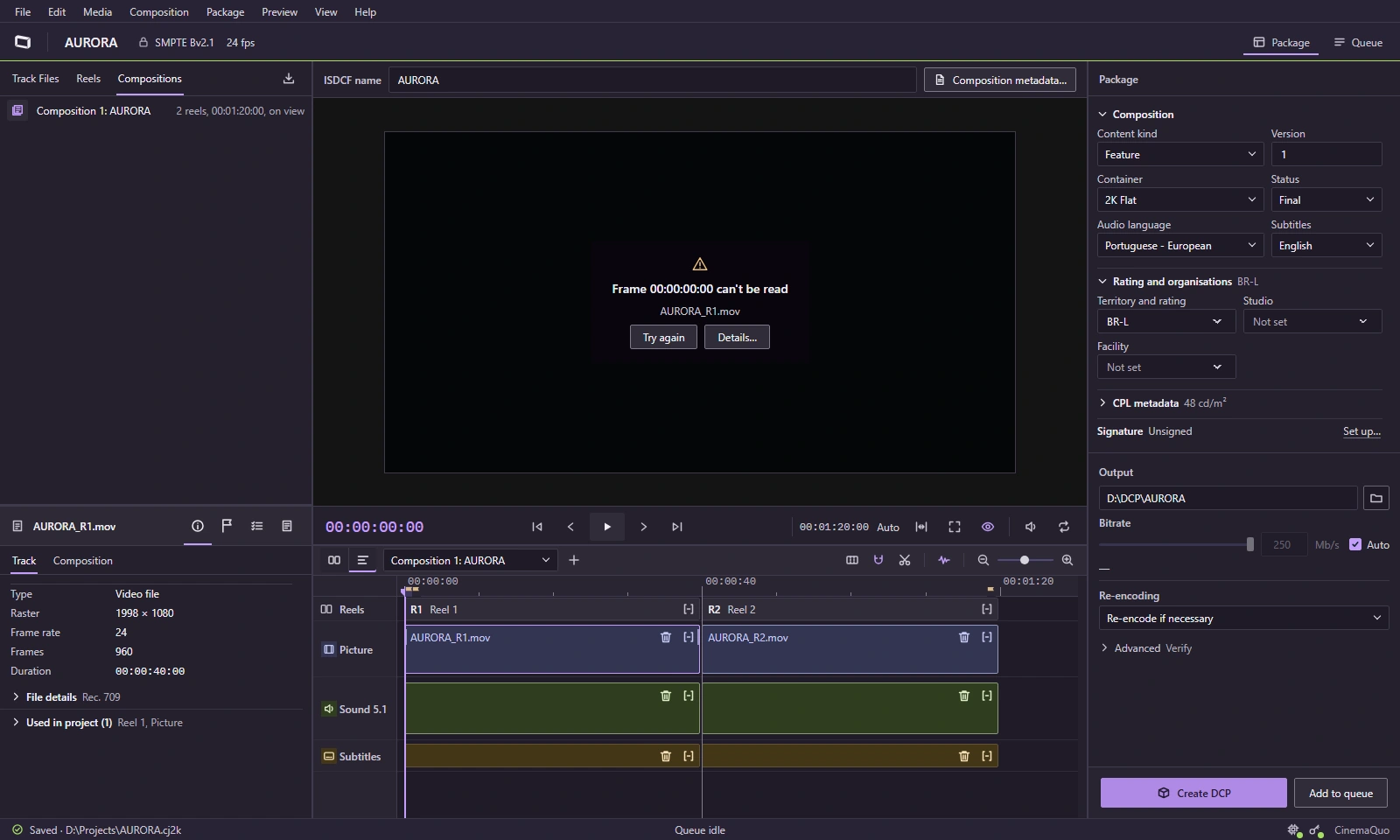
Select the version
A composition is one playable version described by its CPL. A reel is one part of that version.
- Open Compositions in the media area and select the version.
- Read its timeline and metadata. The Reels tab lists the reels belonging to the compositions.
- Before exporting, check the selected version’s reel order, languages, name and markers.
Create or duplicate a version
Use Composition → Compositions… to manage versions and New composition… to add one. Duplicate composition… starts from an existing version. If the version uses tracks taken from an existing DCP, the Studio asks how to copy them. Reference the same track files: both versions use the same tracks, and a change to a track's settings applies to both. Duplicate them: the new version gets its own copy of those tracks, pointing to the same files, so you can change their settings in one version without changing the other.
Deleting a composition removes its reels and markers from the project; its source masters remain. Review the change and save.