Create the DCP
Choose the destination and checks, then start the package.
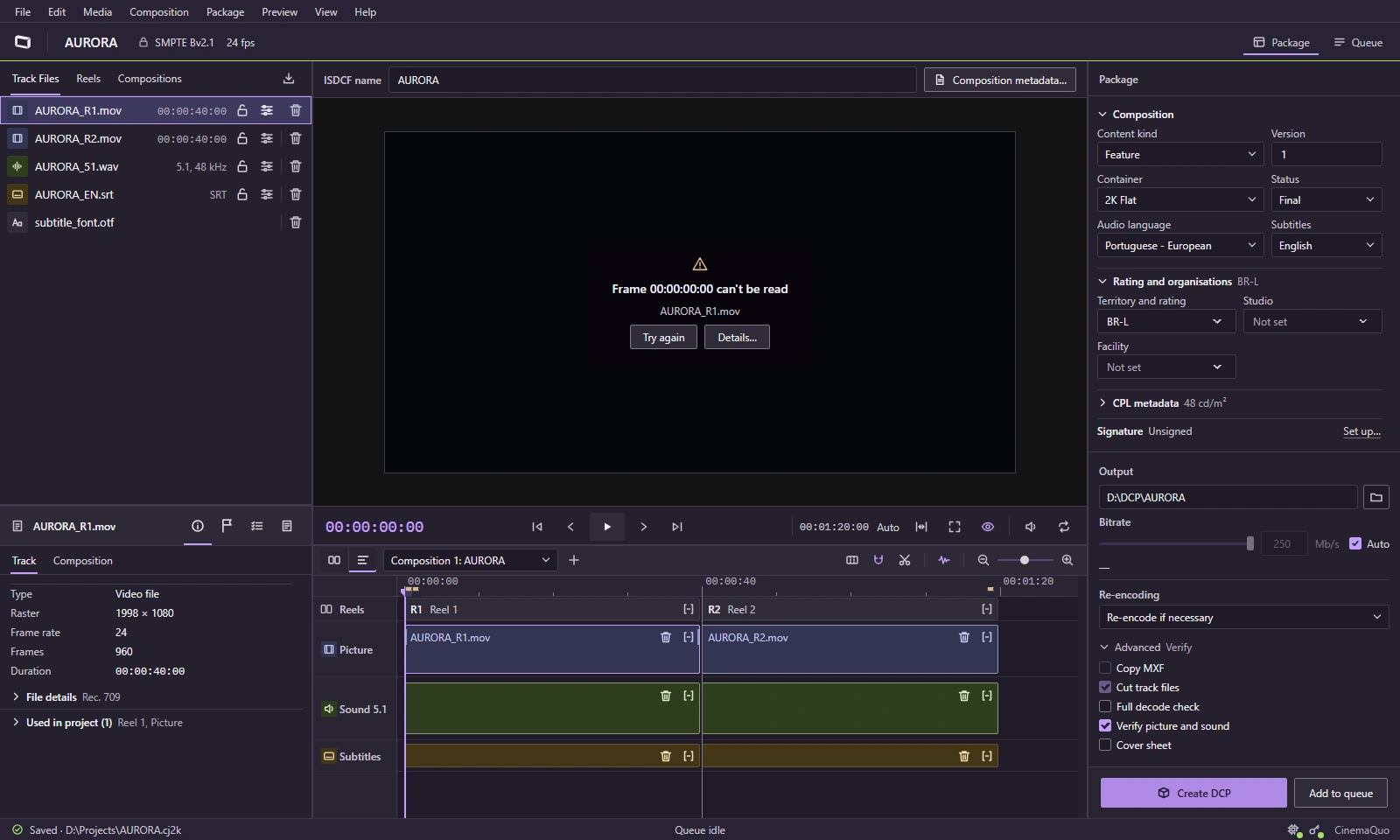
Prepare the output
- Review the composition, name, picture, sound, subtitles and reel joins.
- Save the project and resolve Checks.
- In Output, choose the destination folder. Confirm that it is the intended delivery location.
- Review Bitrate and Re-encoding. Open Advanced for the extra output and checking choices.
Choose the checks
The package documents are checked during creation. Verify picture and sound adds checking of the written picture and sound. Full decode check decodes every picture frame after writing; it is a separate, optional check. Cover sheet writes a technical text file beside the package.
Copy MXF writes tracks taken from an existing DCP exactly as they are. Leave it on only if you did not change those tracks: while it is on, your changes to them are not written. Cut track files writes only the section between In and Out, when that option is available.
Start and follow the job
- Choose Create DCP or press Ctrl+Enter.
- If prompted, use Complete name… or Review first to resolve the remaining issue.
- Follow Stages in the export area. Settings for the running project are locked.
- When complete, read the receipt and verify the written package before delivery.