Verify a completed DCP
Choose the verification scope and save its report.
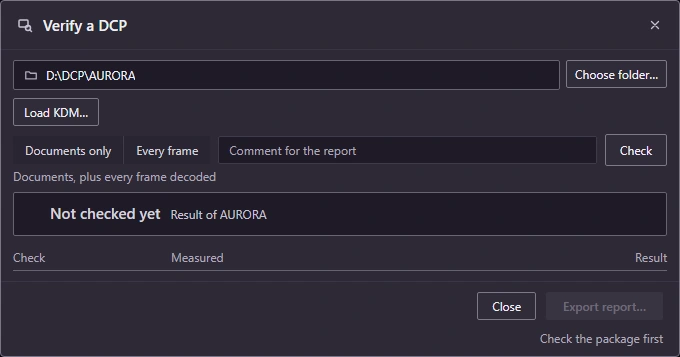
Run a fresh verification
- Choose Package → Verify a DCP….
- Use Choose folder… to select the complete package folder.
- Choose Documents only for the package documents, or Every frame to include decoding every picture frame.
- If the package is a version that uses tracks from an original package (OV), choose that OV with Original version folder…. For encrypted material, use Load KDM… with a key for this installation.
- Choose Check and wait for the result.
Read and save the report
Read Check, Measured and Result for each finding. Follow the recommendations and correct the source or package before delivering. Not checked yet means no result is available.
Choose Export report… to save the result as HTML or JSON according to the selected extension. The report is saved beside the package, not inside it. Keep it with the delivery records.